About Timap
Timap is a community platform that allows users to compare places over time using old and recent photos.
How to use Timap?
The two main pages of Timap are the menu and the map, where all markers are displayed. You can also browse the photo gallery and participate in the discussion forum.
How to create your account?
Do you have a photo you would like to share? Thank you for contributing to enriching Timap!
To create your own marker, you must have a verified Timap account.
During registration, you will need to provide a username, an email address, a password, and confirm it. A profile picture can be added but is optional.
Once registered, you will need to verify your account via the email you receive. Remember to check your spam folder.
How to create a marker?
After your account has been validated, you can create a marker using the + button or the “Add a marker” link, or alternatively Click here.
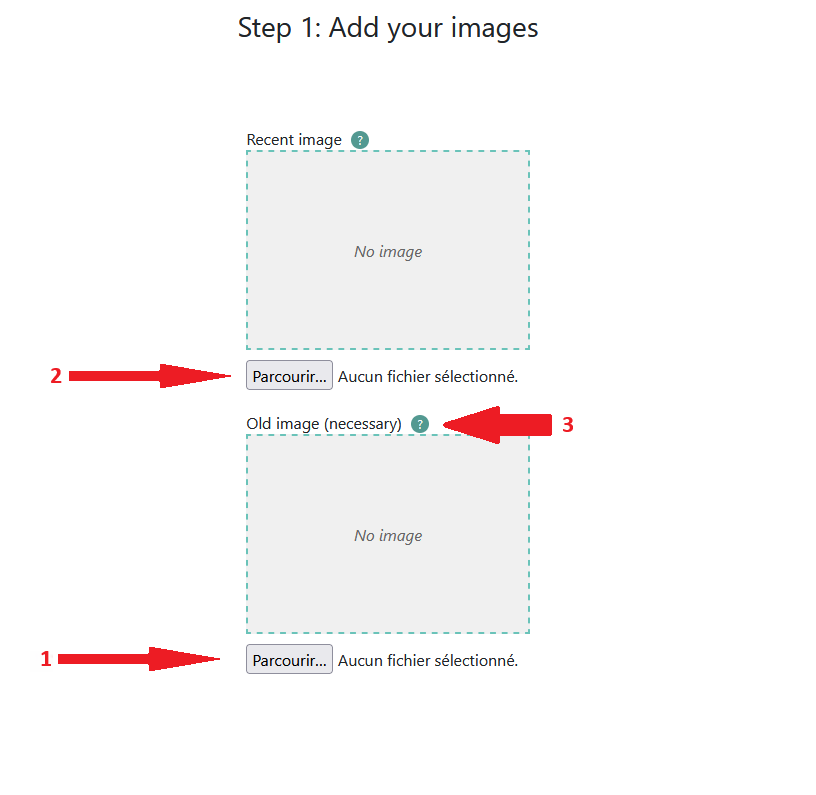
Step 1: Add your old image (1). Throughout the marker creation process, you can use the small "?" icons (3) for help. The recent image (2) is not mandatory, although recommended; you can always add it later by editing your marker from your profile page.
Step 2: The second step consists of placing your marker on the map. Click once to place the marker at the location of your photo (1). Once the marker is placed, move your mouse around it to define the photo angle (2). If you are using a touch device, tap around the marker to set the angle. 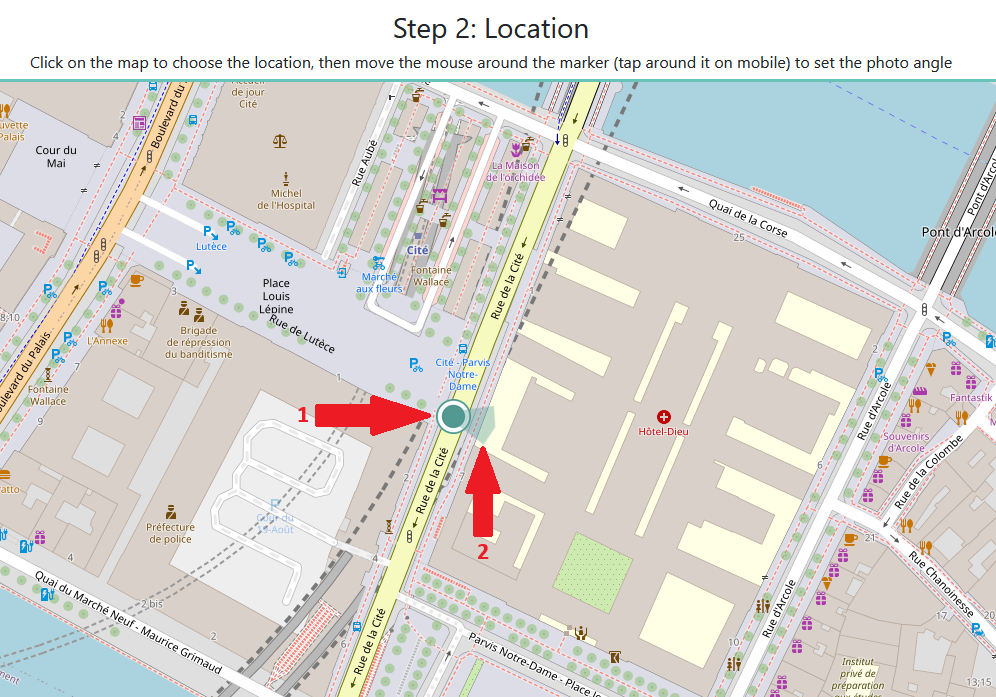
Step 3: Enter the information for your old photo. Only the location is mandatory (1). If the user believes their marker contains sensitive content, they can check the “sensitive content” box (3). If you have a Google Maps Street View link corresponding to your marker’s location, you can add it (2). Note that the Google Maps link is verified for security reasons to prevent invalid links. If an error message appears during marker creation, try removing the Google Maps link and try again. 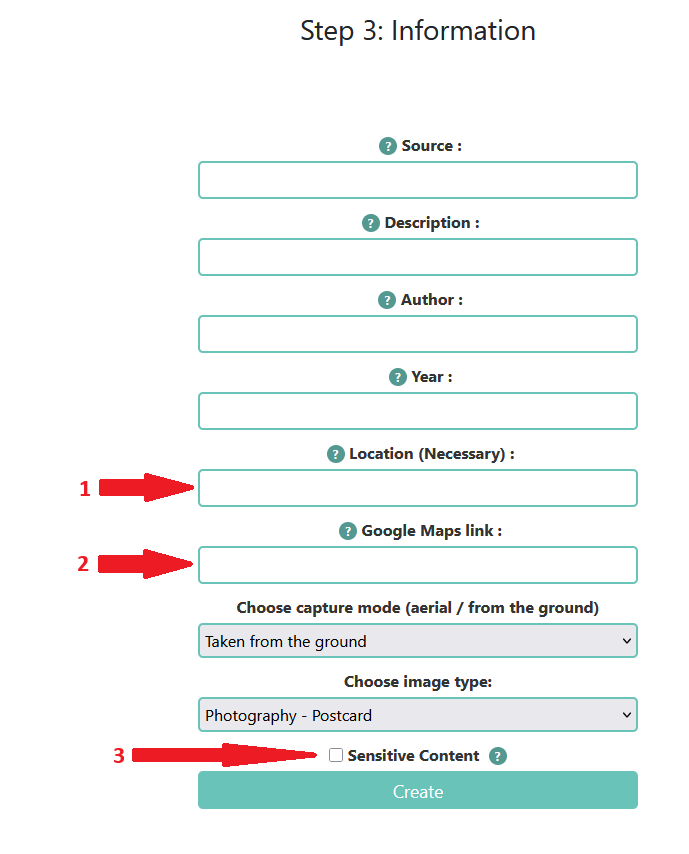
Sensitive content
Some images may contain sensitive content. A warning is displayed to protect users.
Happy exploring!
We wish you an excellent discovery of Timap and its heritage through time.